



怎样开发智能合约中的时间锁

(文中链接请复制至浏览器打开)
这篇文章将会介绍智能合约中的时间锁是什么,并且讲解如何开发它。你将会开发一个智能合约,这个合约可以将 ERC-20 通证的铸造请求按时间排列。
这个教程将会使用到:
Foundry:
https://github.com/foundry-rs/foundry
Solidity:
https://docs.soliditylang.org/
Ethereum:
https://ethereum.org/
教程的代码可以在这个 GitHub Repo 中找到:
https://github.com/smartcontractkit/smart-contract-examples/tree/main/timelocked-contracts
什么是智能合约的时间锁
本质上,时间锁是用来将智能合约中的某个函数限制在一段时间内的代码。“if”语句就可以实现最简单的时间锁:
if (block.timestamp < _timelockTime) {revert ErrorNotReady(block.timestamp, _timelockTime);}
时间锁的应用场景
智能合约中的时间锁有很多潜在的应用场景,它们通常会被用在通证首次公开发行中,用于实现通证销售的一些功能。时间锁也可以被用来按照时间表授权投资资金使用,即用户只有在一段时间以后才可以取出资金。
另一个可能的场景就是通过智能合约去实现遗嘱。使用 Chainlink Keepers,你可以周期性的检查遗嘱的主人是否还在,一旦死亡证明被发布,这个遗嘱的智能合约就会解锁。
以上只是很少的一些应用案例,智能合约时间锁有很多种场景去使用。在这个案例中,我们会聚焦于一个 ERC-20(https://eips.ethereum.org/EIPS/eip-20) 合约,用时间锁实现一个队列来铸造它。
怎样创建一个智能合约时间锁
在这个教程中,我们会使用 Foundry 来开发和测试 Solidity 合约。关于 Foundry 这个框架,你可以它的 GitHub 中找到更多的信息:
https://github.com/foundry-rs/foundry#installation
初始化项目
你可以使用 `forge init` 初始化项目。项目初始化完成后,`forge test` 命令会进行一次检查确保项目初始化的过程没有问题。
❯ forge init timelocked-contractInitializing /Users/rg/Development/timelocked-contract...Installing ds-test in "/Users/rg/Development/timelocked-contract/lib/ds-test", (url: https://github.com/dapphub/ds-test, tag: None)Installed ds-testInitialized forge project.❯ cd timelocked-contract❯ forge test[] Compiling...[] Compiling 3 files with 0.8.10[] Solc finished in 143.06msCompiler run successfulRunning 1 test for src/test/Contract.t.sol:ContractTest[] testExample() (gas: 190)Test result: ok. 1 passed; 0 failed; finished in 469.71µs
创建测试
你需要创建一些测试来确保智能合约可以实现时间锁的所有的要求。需要测试的主要功能就是下面这些:
让通证的铸造操作加入队列
一旦时间到来就进行铸造
取消早在队列中的铸造操作
除了这些功能以外,你还需要保证智能合约没有重复入列或入列之前铸造这些错误操作。
当项目被初始化以后,你需要去运行这些测试,因为你需要这些测试用例来保证你的项目的实际执行与设想的没有偏差。这些测试存储在 `src/test/Contract.t.sol`中。在 Foundry 中,会使用测试的名字来表示这些测试应该是成功还是失败。比如说 `testThisShouldWork` 表示应该通过,而 `testFailShouldNotWork` 表示只有这个测试被 revert 的时候才会通过。
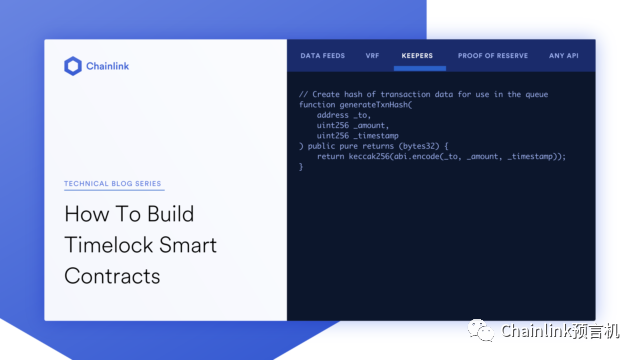
还有一些其他的使用惯例。时间锁会基于一个队列,这个队列会使用 `_toAddress`, `_amount`, 和 `time` 这几个参数的哈希值,而 `keccak256` 会被用来计算它们的哈希值。
// Create hash of transaction data for use in the queuefunction generateTxnHash(address _to,uint256 _amount,uint256 _timestamp) public pure returns (bytes32) {return keccak256(abi.encode(_to, _amount, _timestamp));}
另外,你需要自己设置测试环境中的时间来模拟有多少时间过去。这点可以通过 Foundry 的 `CheatCode` 实现。
interface CheatCodes {function warp(uint256) external;}
wrap 函数可以让你设置当前的区块的时间戳。这个函数接受一个 uint 参数来生成新的时间戳。我们需要使用它给当前时间来“增加时间”,模拟时间的流逝。这个可以让我们在测试中按照预期提供时间锁功能所需要的变量。
把 `src/test/Contract.t.sol` 中的内容替换为下面的代码:
// SPDX-License-Identifier: UNLICENSEDpragma solidity 0.8.10;import "ds-test/test.sol";import "../Contract.sol";interface CheatCodes {function warp(uint256) external;}contract ContractTest is DSTest {// HEVM_ADDRESS is the pre-defined contract that contains the cheatcodesCheatCodes constant cheats = CheatCodes(HEVM_ADDRESS);Contract public c;address toAddr = 0x1234567890123456789012345678901234567890;function setUp() public {c = new Contract();c.queueMint(toAddr,100,block.timestamp + 600);}// Ensure you can't double queuefunction testFailDoubleQueue() public {c.queueMint(toAddr,100,block.timestamp + 600);}// Ensure you can't queue in the pastfunction testFailPastQueue() public {c.queueMint(toAddr,100,block.timestamp - 600);}// Minting should work after the time has passedfunction testMintAfterTen() public {uint256 targetTime = block.timestamp + 600;cheats.warp(targetTime);c.executeMint(toAddr,100,targetTime);}// Minting should fail if you mint too soonfunction testFailMintNow() public {c.executeMint(toAddr,100,block.timestamp + 600);}// Minting should fail if you didn't queuefunction testFailMintNonQueued() public {c.executeMint(toAddr,999,block.timestamp + 600);}// Minting should fail if try to mint twicefunction testFailDoubleMint() public {uint256 targetTime = block.timestamp + 600;cheats.warp(block.timestamp + 600);c.executeMint(toAddr,100,targetTime);// Minting should fail if you try to mint too latefunction testFailLateMint() public {uint256 targetTime = block.timestamp + 600;cheats.warp(block.timestamp + 600 + 1801);emit log_uint(block.timestamp);c.executeMint(toAddr,100,targetTime);}// you should be able to cancel a mintfunction testCancelMint() public {bytes32 txnHash = c.generateTxnHash(toAddr,100,block.timestamp + 600);c.cancelMint(txnHash);}// you should be able to cancel a mint once but not twicefunction testFailCancelMint() public {bytes32 txnHash = c.generateTxnHash(toAddr,999,block.timestamp + 600);c.cancelMint(txnHash);c.cancelMint(txnHash);}// you shouldn't be able to cancel a mint that doesn't existfunction testFailCancelMintNonQueued() public {bytes32 txnHash = c.generateTxnHash(toAddr,999,block.timestamp + 600);c.cancelMint(txnHash);}}
开发合约
你现在应该可以执行命令 forge test 然后看到许多错误,现在就让我们使这些测试可以被通过。我们现在从一个最基础的 ERC-20 合约开始,所有的代码都存储在 `src/Contract.sol` 中。
// SPDX-License-Identifier: MITpragma solidity ^0.8.10;import "@openzeppelin/contracts/token/ERC20/ERC20.sol";import "@openzeppelin/contracts/access/Ownable.sol";contract Contract is ERC20, Ownable {constructor() ERC20("TimeLock Token", "TLT") {}}
这里在使用 OpenZeppelin 合约之前,你需要先安装它,并且将 Foundry 指向它们。
运行以下命令安装这些合约:
❯ forge install openzeppelin/openzeppelin-contracts创建 `remappings.txt` 来映射这些 imports
@openzeppelin/=lib/openzeppelin-contracts/ds-test/=lib/ds-test/src/
这个 remapping 文件可以让你像在 Hardhat 或者 Remix 中一样使用像 OpenZeppelin 合约这样的外部库,因为这个文件将 import 重新映射到了它们所在的文件夹。我通过 `forge installopenzeppelin/openzeppelin-contracts` 安装了 OpenZeppelin 合约,它们在这里会被用来创建 ERC-721 合约。
如果一切顺利的话,你可以运行 `forge build` 来编译合约。
完成上述操作以后,就可以写下面的智能合约。这个合约可以让你将一个铸造操作加入队列,然后在某个时间窗口执行这个铸造操作。
// SPDX-License-Identifier: UNLICENSEDpragma solidity 0.8.10;import "@openzeppelin/contracts/token/ERC20/ERC20.sol";import "@openzeppelin/contracts/access/Ownable.sol";contract Contract is ERC20, Ownable {// Error Messages for the contracterror ErrorAlreadyQueued(bytes32 txnHash);error ErrorNotQueued(bytes32 txnHash);error ErrorTimeNotInRange(uint256 blockTimestmap, uint256 timestamp);error ErrorNotReady(uint256 blockTimestmap, uint256 timestamp);error ErrorTimeExpired(uint256 blockTimestamp, uint256 expiresAt);// Queue Minting Eventevent QueueMint(bytes32 indexed txnHash,address indexed to,uint256 amountuint256 timestamp);// Mint Eventevent ExecuteMint(bytes32 indexed txnHash,address indexed to,uint256 amount,uint256 timestamp);// Cancel Mint Eventevent CancelMint(bytes32 indexed txnHash);// Constants for minting windowuint256 public constant MIN_DELAY = 60; // 1 minuteuint256 public constant MAX_DELAY = 3600; // 1 houruint256 public constant GRACE_PERIOD = 1800; // 30 minutes// Minting Queuemapping(bytes32 => bool) public mintQueue;constructor() ERC20("TimeLock Token", "TLT") {}// Create hash of transaction data for use in the queuefunction generateTxnHash(address _to,uint256 _amount,uint256 _timestamp) public pure returns (bytes32) {return keccak256(abi.encode(_to, _amount, _timestamp));}// Queue a mint for a given address amount, and timestampfunction queueMint(address _to,uint256 _amount,uint256 _timestamp) public onlyOwner {// Generate the transaction hashbytes32 txnHash = generateTxnHash(_to, _amount, _timestamp);// Check if the transaction is already in the queueif (mintQueue[txnHash]) {revert ErrorAlreadyQueued(txnHash);}// Check if the time is in the rangeif (_timestamp < block.timestamp + MIN_DELAY ||_timestamp > block.timestamp + MAX_DELAY) {revert ErrorTimeNotInRange(_timestamp, block.timestamp);}// Queue the transactionmintQueue[txnHash] = true;// Emit the QueueMint eventemit QueueMint(txnHash, _to, _amount, _timestamp);}// Execute a mint for a given address, amount, and timestampfunction executeMint(address _to,uint256 _amount,uint256 _timestamp) external onlyOwner {// Generate the transaction hashbytes32 txnHash = generateTxnHash(_to, _amount, _timestamp);// Check if the transaction is in the queueif (!mintQueue[txnHash]) {revert ErrorNotQueued(txnHash);}// Check if the time has passedif (block.timestamp < _timestamp) {revert ErrorNotReady(block.timestamp, _timestamp);}// Check if the window has expiredif (block.timestamp > _timestamp + GRACE_PERIOD) {revert ErrorTimeExpired(block.timestamp, _timestamp);}// Remove the transaction from the queuemintQueue[txnHash] = false;// Execute the mintmint(_to, _amount);// Emit the ExecuteMint eventemit ExecuteMint(txnHash, _to, _amount, _timestamp);}// Cancel a mint for a given transaction hashfunction cancelMint(bytes32 _txnHash) external onlyOwner {// Check if the transaction is in the queueif (!mintQueue[_txnHash]) {revert ErrorNotQueued(_txnHash);}// Remove the transaction from the queuemintQueue[_txnHash] = false;// Emit the CancelMint eventemit CancelMint(_txnHash);}// Mint tokens to a given addressfunction mint(address to, uint256 amount) internal {_mint(to, amount);}}
接下来可以做什么
智能合约的时间锁非常有用,它们可以让合约内的交易变得更加安全和透明。但是时间锁无法自动触发,所以你需要在某个时间节点回来然后执行这个函数。想要让它们自己执行的话,就需要自动化你的合约。
Chainlink Keepers 可以让你自动化智能合约中的函数。通过使用 Chainlink Keepers,你可以在某一些提前定义好的时间节点,让你智能合约中的函数自动执行。想要了解更多关于 Chainlink Keepers 的信息,请查看 Keepers 文档:
https://docs.chain.link/docs/chainlink-keepers/job-scheduler/%20
您可以关注 Chainlink 预言机并且私信加入开发者社区,有大量关于智能合约的学习资料以及关于区块链的话题!
Chainlink 欢迎优秀小伙伴的加入▼
加入 Chainlink 官方渠道▼

微博: https://weibo.com/chainlinkofficial
知乎:https://www.zhihu.com/people/chainlink
中文 Twitter: https://twitter.com/ChainlinkChina
Twitter: https://twitter.com/chainlink
中文爱好者电报群:https://t.me/chainlinkfans
Telegram: https://t.me/chainlinkofficial
Discord: https://discord.gg/aSK4zew
GitHub: https://github.com/smartcontractkit/chainlink
SegmentFault:https://segmentfault.com/u/chainlink
QQ 群: 6135525
合作联系: [email protected]

点击“阅读原文”,查看更多
【免责声明】市场有风险,投资需谨慎。本文不构成投资建议,用户应考虑本文中的任何意见、观点或结论是否符合其特定状况。据此投资,责任自负。
来源链接